

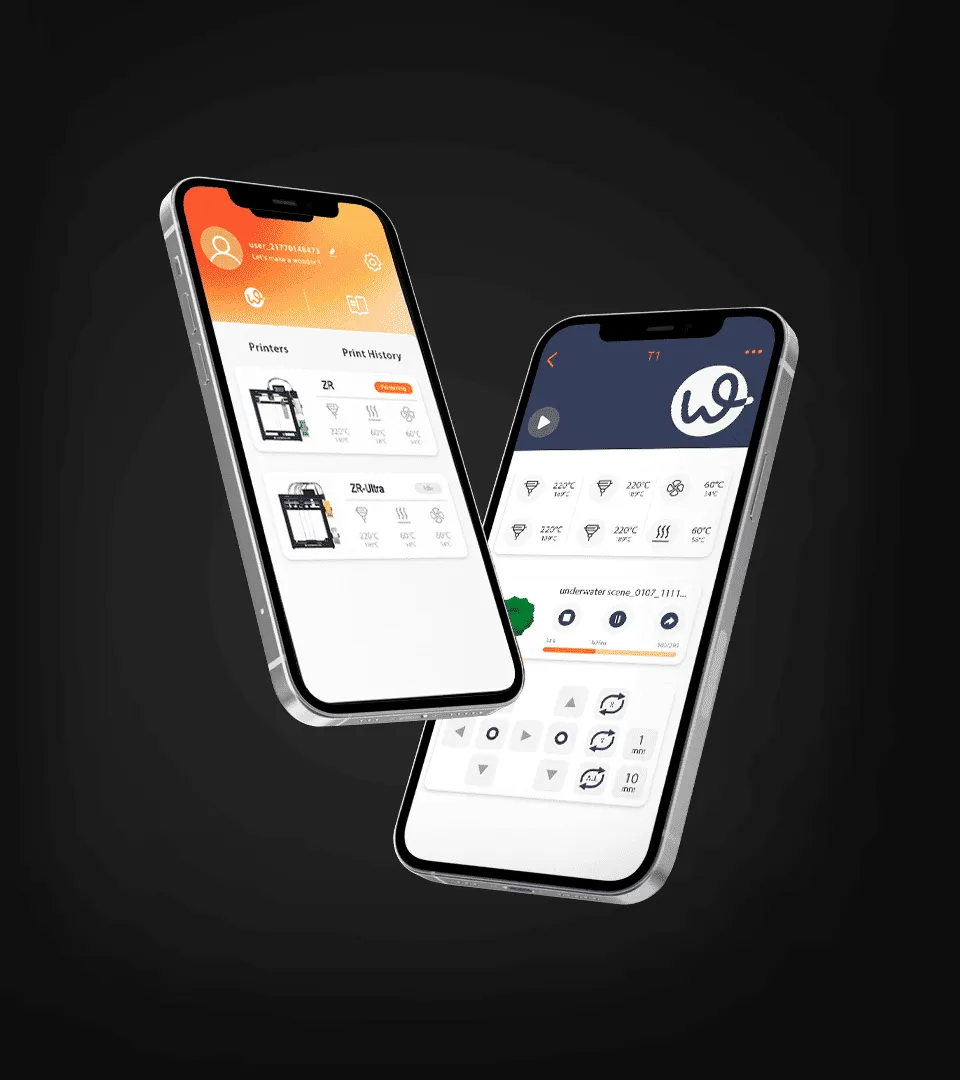
Choosing the right software is an important part of building a reliable 3D printing workflow. While hardware determines factors such as print speed, material compatibility, and build volume, software controls how a digital model is prepared, adjusted, and sent to the printer. For professionals, the best 3D printing apps should do more than simply start a print. They should support efficient model preparation, flexible printer control, and consistent results.
As 3D printing becomes more common in product development, education, prototyping, and small scale manufacturing, understanding which software features actually matter can help users select tools that match their workflow.
What Are 3D Printing Apps Used For?
3D printing apps can support several stages of the printing process. Depending on the platform, an app may allow users to import 3D models, modify print settings, prepare files, monitor printing progress, or manage multiple printers.
One of the most important functions is slicing. A slicer converts a 3D model into instructions that a printer can understand. Settings such as layer height, infill density, print speed, support structures, and nozzle temperature can affect the final result. Having these controls in an accessible interface makes it easier to balance print quality, material consumption, and production time.
Some applications also provide printer monitoring and remote management. These functions can be useful when users need to check print progress without staying beside the machine.
Which Features Matter Most in Professional 3D Printing Software?
The right feature set depends on the user’s workflow, but several capabilities are particularly useful for professional applications.
A clear interface is important because 3D printing involves many technical settings. Software should make frequently used parameters easy to find while still providing advanced controls for experienced users. An overly complicated interface can slow down production, while an overly simplified system may limit control over specialized projects.
File compatibility is another important consideration. Professional workflows often involve models created in different CAD or 3D modeling programs. Support for commonly used formats can reduce unnecessary file conversion and help maintain a smoother workflow.
Print parameter control also deserves close attention. Users may need to adjust layer height, infill, wall thickness, support generation, temperature, and movement settings depending on the model and material. The ability to save or reuse suitable profiles can also improve consistency between print jobs.
How Does App Compatibility Affect the Printing Workflow?
An application should work reliably with the intended printer and operating environment. Before choosing software, users should check whether it supports their specific printer, firmware, file formats, and operating system.
Compatibility is especially important when working with multi-material or multi-color printing. Different printers may use different approaches for managing materials, so software needs to correctly interpret the printer’s requirements. If the application does not support the printer’s material switching system, users may face unnecessary setup steps or inconsistent results.
For users working with WonderMaker 3D printers, the available software environment is one example of how an integrated application can connect model preparation with printer operation. The WonderMaker 3D software platform provides tools designed to support the printing workflow through its app interface.
Why Is Ease of Use Important for 3D Printing?
Professional software does not necessarily need to be difficult to use. In fact, a well designed interface can reduce setup time and make technical functions easier to manage.
For beginners, guided settings and straightforward controls can make the learning process less demanding. Experienced users, meanwhile, may prefer access to more detailed parameters. The most practical solution is software that accommodates both levels without forcing users to work through unnecessary steps.
Automation can also improve efficiency. Features that simplify model preparation, support generation, material management, or printer setup can reduce repetitive tasks. However, users should still be able to review important settings before starting a print, particularly for production work where failed prints can waste material and time.
How Should You Evaluate 3D Printing Apps for Your Needs?
The best 3D printing apps are not necessarily those with the largest number of features. The better choice is the application that fits the user’s actual printing requirements.
For occasional hobby printing, basic slicing and printer controls may be enough. Designers and engineers may need more precise control over print parameters and compatibility with professional modeling workflows. Schools and makerspaces may place greater emphasis on ease of use and printer management.
Users should also consider how frequently the software is updated and whether documentation or technical support is available. Software development can affect compatibility, performance, and access to new functions, so ongoing maintenance is an important part of the overall software experience.
How Can Software Improve multi-color 3D Printing?
Multi-color printing introduces additional software requirements because the application must coordinate different colors or materials during the printing process. Proper material assignment, color mapping, and tool or filament changes can directly affect the final model.
A suitable application should make these settings understandable and allow users to preview the expected result before printing. A preview can help identify problems such as incorrect color assignments, unnecessary material changes, or areas that may require additional support.
For professional users, these functions can also contribute to more predictable production. Instead of treating software as a simple connection between a model and a printer, it can become an important part of planning and quality control.
Building a More Reliable 3D Printing Workflow
Selecting software should be considered alongside the printer, materials, and types of models being produced. A capable application cannot compensate for unsuitable materials or incorrect hardware settings, but it can make the overall process easier to control.
Users should start by identifying their main requirements, such as model preparation, multi-color printing, remote monitoring, printer compatibility, or advanced parameter adjustment. They can then compare applications based on those needs rather than choosing software based solely on the number of available features.
WonderMaker 3D provides an example of a software ecosystem designed around 3D printing applications and printer workflows. Exploring its app capabilities can help users understand how software functions can support different stages of the printing process.
Making a Practical Software Choice
The best 3D printing apps should provide a balance of compatibility, control, usability, and workflow efficiency. For professional production, reliable slicing, flexible print settings, material management, and printer integration are particularly important. For multi-color projects, accurate material assignment and preview functions become even more relevant.
Rather than looking for software with every possible function, users should focus on whether an application supports their printer and production requirements. A practical software choice can simplify preparation, reduce avoidable errors, and make 3D printing more consistent from one project to the next.
