

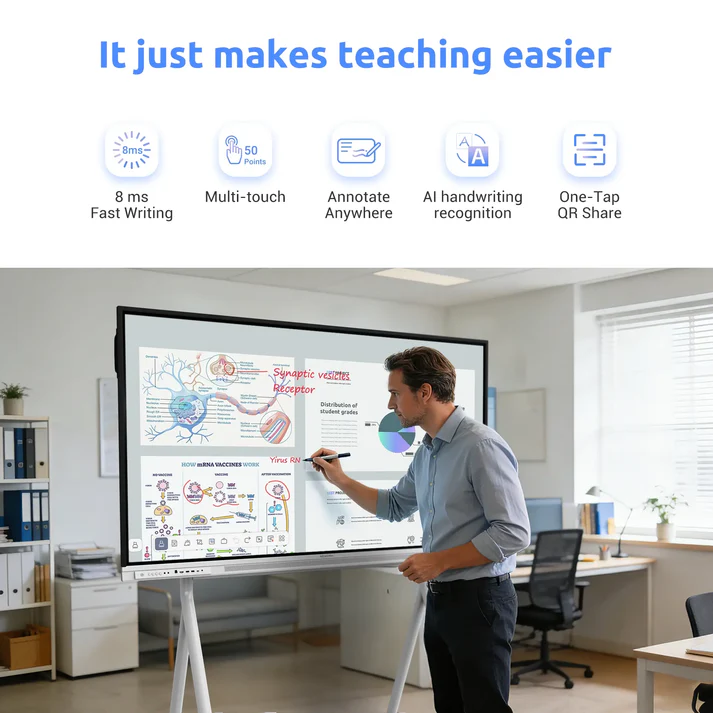
Educational environments require thoughtful adaptations to ensure that every student can access information and participate in daily activities comfortably. In special education classrooms, traditional teaching tools often fail to accommodate diverse physical, cognitive, or sensory needs, leaving some children feeling excluded. Introducing flexible, highly responsive digital interfaces helps educators customize their teaching methods to match the unique learning profiles of individual students.
An essential partner in this educational field is Nework, an innovative audiovisual technology firm headquartered in California. This enterprise focuses on interactive hardware designed to streamline group workflows, reduce installation complexity, and decrease long-term operational costs for schools and businesses. Buyers seeking to upgrade their infrastructure can explore the complete lineup and secure robust educational models by visiting the official Nework.ai portal to consult with collaboration experts.
Overcoming Sensory Processing Challenges with Built In Tools
Many children with neurodivergent needs struggle to focus on disorganized layouts or standard whiteboards due to sensory processing differences. Standard writing surfaces do not offer adjustable visual guides, making structured drawing or writing tasks incredibly difficult.
By utilizing the NewBoard E series for education, teachers can access built-in teaching tools including grids, geometry tools, and countdown timers. These visual structures help special education teachers organize daily lessons, provide clear spatial boundaries, and reduce cognitive load for students.
Facilitating Stress Free Wireless Screen Sharing
For students with limited mobility or severe social anxiety, walking up to the front of a classroom to write on a board can be a highly stressful experience. Forcing a student into a stressful situation often creates anxiety barriers that hinder learning progress.
Using an easy screen sharing feature allows students to mirror their work directly to the central display from their desks. This stable casting capability works smoothly with any student device, encouraging active class participation without causing unnecessary physical discomfort.
Supporting Multi Device Collaboration Across Diverse Platforms
Special education classrooms often utilize a mixture of specialized equipment to support individual communication and motor-skill development. If an interactive display cannot interface with these diverse systems, IT departments face complex configuration challenges.
Deploying a versatile Nework smart board provides seamless multi-device collaboration that effortlessly supports iPads, Chromebooks, and laptops. This broad compatibility helps school districts extend the value of their existing technology investments while simplifying classroom setup.
Customizing Software Interfaces for Diverse Cognitive Needs
Operating system flexibility plays an important role in tailoring digital classrooms to accommodate severe visual or cognitive impairments. Whiteboards running outdated or locked software prevent instructors from installing crucial accessibility applications.
A modern Nework smart board resolves this limitation by utilizing a secure Android 14 platform backed by Google EDLA certification. This framework grants teachers direct access to specialized apps from the Google Play Store, simplifying personalized learning.
Ensuring Visual Clarity for Low Vision Students
Students with visual impairments require high-contrast displays and consistent brightness levels to comprehend digital lessons from their desks. Low-quality flat panels often suffer from fading or heavy glare under standard classroom lighting.
The NewBoard E series for education features a brilliant 4K UHD display that renders high-definition, detailed visuals clearly. Paired with a wide 178° viewing angle, this screen ensures that lesson content remains sharp and visible from any desk.
Projecting Balanced Audio for Auditory Processing Needs
Auditory processing difficulties can make it hard for students to distinguish a teacher’s voice from ambient background classroom noises. Standard low-wattage speakers often produce muffled sound that fails to distribute audio evenly.
This interactive display integrates powerful dual 20W front-facing speakers to deliver balanced, clear audio across the entire room. This high-fidelity built-in sound system helps students follow verbal instructions closely without requiring external amplifiers.
Optimizing Motor Skill Development with Low Touch Latency
Students developing their fine motor skills can become frustrated by digital screens that require heavy physical pressure or feature delayed tracking. An unresponsive display discourages active hands-on exploration and hinders tactile learning opportunities.
The responsive glass surface features a low writing latency that tracks styluses and fingers with extreme precision. This immediate feedback helps students practice writing letters and shapes, mimicking the natural feel of real paper.
Simplifying School District Technical Deployment and Support
School districts frequently employ small IT departments that cannot dedicate hours to troubleshooting individual classroom devices. Complex systems that break down regularly increase administrative support costs and disrupt daily school schedules.
The brand prioritizes simple setup procedures, providing plug-and-play connections and durable hardware designed for long-term usage. Purchasing departments also benefit from responsive customer support, ensuring that technical issues are resolved within 24 hours.
Conclusion
Creating an inclusive special education classroom requires adaptable, durable hardware that actively supports diverse learning styles. Choosing the NewBoard E series for education gives teachers access to flexible built-in tools, multi-device sharing, and high-fidelity audio. By standardizing on a reliable, certified Nework display, schools can lower their administrative support demands while providing students with an accessible, engaging learning environment.
